The match is about to kick off, the group chat is moving, and three browser tabs are already open. The useful first decision is which page you need. A fixture list, a score page, a sportsbook listing and a casino lobby each answer a different question. A clear route through those choices helps a football fan keep track of what is on screen, especially when several pages carry similar team names and bright promotional banners.
For readers exploring AB33 / Asiabet33, the public homepage is a sensible starting point. Its category labels provide the first layer of navigation. This guide follows those labels and a few practical reading habits that work just as well on a phone as on a larger screen.
Begin with the question you want answered
“What time is the match?” calls for a fixture or schedule. “What is the score?” calls for a score page. A sportsbook listing presents the event alongside betting markets, while a casino category leads towards games. Making that distinction before opening another tab keeps the browsing session focused. It also gives every page a job. When the question changes, you can choose a new route deliberately instead of following the nearest colourful tile.
Read the category row before the cards
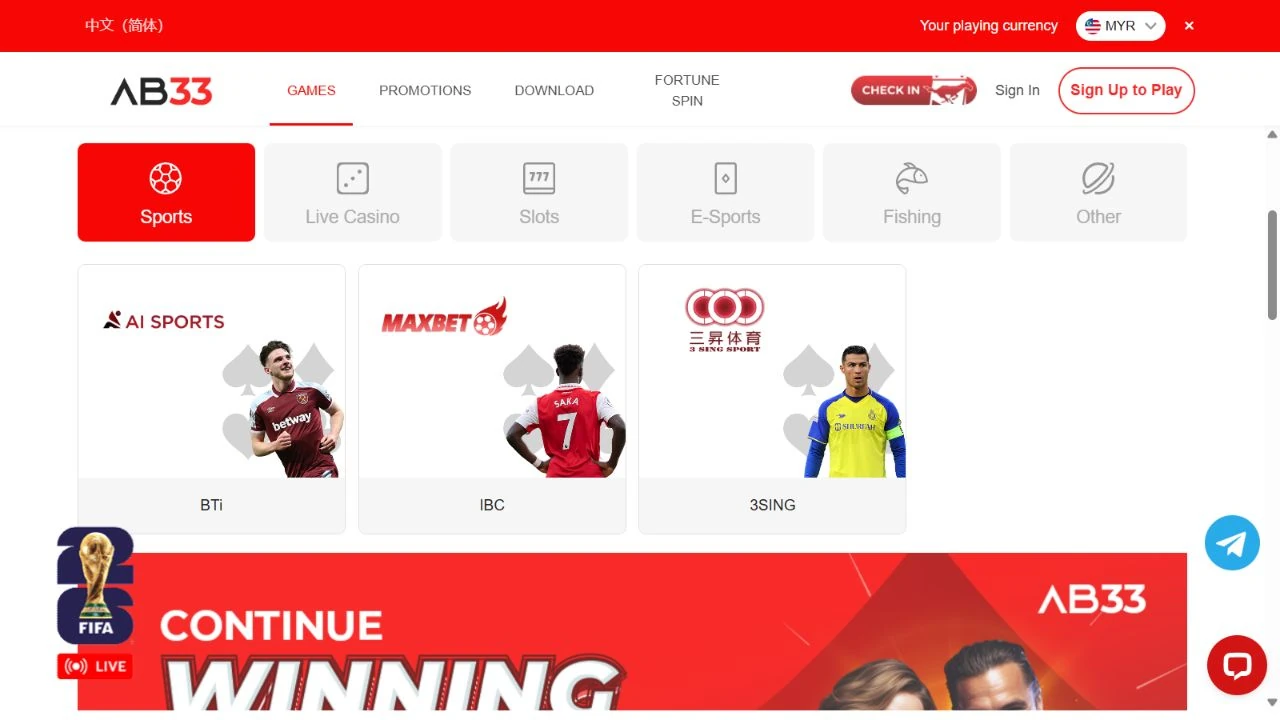
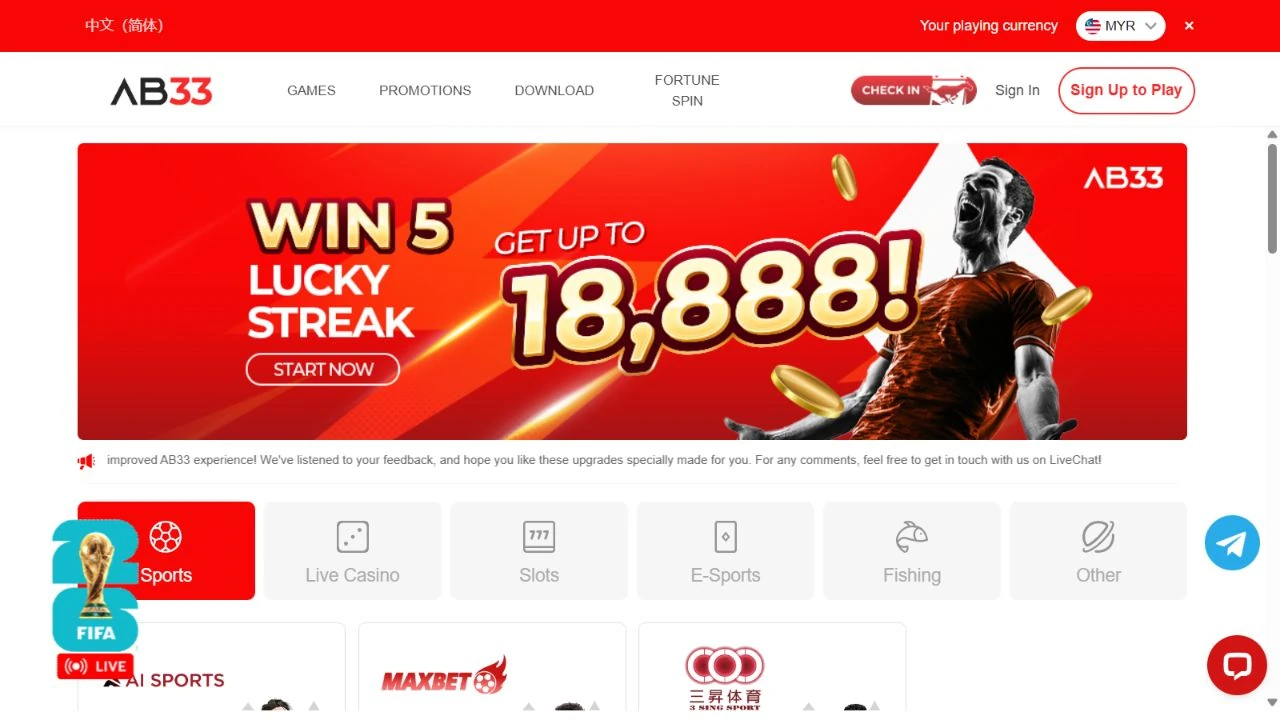
The AB33 homepage separates Sports, Live Casino, Slots, E-Sports, Fishing and Other in its category row. Below a selected category, the available cards provide another set of choices. Read the active category and the card label together. A familiar football shirt in a picture can attract attention quickly, but the surrounding text explains which section and destination the card represents. This is particularly useful when returning to a page after a break.
The separate Sports capture shows three entry cards captioned BTi, IBC and 3SING. The provider selection sits one step before an individual fixture listing, giving the next page a clear role in the route.
Give a football event its full identity
Two team names are a beginning. Add the competition, date and displayed time before treating a listing as the match you came to find. A club can appear in several competitions, and similarly named teams can belong to different age groups or divisions. If a page shows a timezone, use it when comparing the listing with your own calendar. These checks are useful during a busy football week, when a quick glance at a badge can feel more conclusive than it is.
Keep the score question close at hand
A match-information page and a sportsbook page have different purposes. Give each one a clearly named tab if you use both. When a goal changes the conversation, return to the page that answers the score question and check its update time or live status. Then return to the relevant event page separately. This habit makes it easier to understand what each screen is telling you without treating every number on a football-themed page as the same kind of information.
Use the quiet moments to learn the layout
Half-time is a good moment to look at navigation without the rush of kick-off. Open one category, read its heading, and return to the homepage through a visible navigation control. Notice whether the selected tab remains highlighted and whether the browser opens an additional page. A short, repeatable route is easier to remember than several half-finished tabs. On a shared device, a fresh visit to the public homepage also makes the starting point easier to recognise.
A change of category deserves a fresh look
A switch from Sports to Live Casino or Slots changes the type of content in front of you. Pause at the new heading and read the labels again. Within a game category, a title, provider name and information panel help identify what you have opened. In a sports category, competition and event details do that work. The same reading habit applies across the site, while the details worth checking change with the category.
Make the mobile route easy to repeat
Before saving a shortcut, read the address bar and the page heading. A shortcut is most useful when it returns to a recognisable starting point. If you keep several sports-related pages, give the bookmarks descriptive names such as the brand and the section. During the next match, that small piece of organisation saves you from guessing which icon leads where. It also makes it easier to explain the route to someone looking at a different screen size.
Quick questions before the next kick-off
Where should a first visit begin?
Start at the public homepage, read the category row, and choose the section that matches your question. The heading and address bar give you a reference point for returning later.
Does a football image identify the exact match?
The event details provide the stronger check. Read the team names together with the competition, date and displayed time before treating a listing as the fixture you want.
What should I check after switching to a casino category?
Read the new section heading, then the game title, provider label and available game information. Use those details to understand the destination before continuing.
Match-night browsing works best with a simple sequence: identify the question, choose the category, read the destination, and keep a clear way back. The result is a calmer route through a busy screen, leaving more attention for the match itself.
For related reading, our brand-name reading guide explains AB33 and Asiabet33 terminology. A past Elche–Real Sociedad VAR case adds context to changing live-score displays.